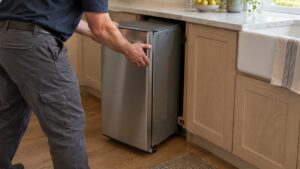

A whirlpool trash compactor ram stuck mid-stroke is alarming but usually mechanical and fixable. On Whirlpool compactors like the GX900QPPS and the legacy TC8700 family, the ram is driven by a motor through a belt and a set of power screws or a chain-and-sprocket drive. When it jams, the cause is almost always something physical: trash wedged against the ram, a worn drive belt slipping, or a directional switch that lost track of where the ram is. Because these units have an auto anti-jam feature on some models, a true stuck ram points to a real problem rather than normal operation.
What causes a Whirlpool trash compactor ram stuck mid-stroke
- An obstruction — a tall bottle, a can, or packaging wedged sideways stops the ram before it completes its stroke.
- A worn or broken drive belt — a glazed or stretched belt slips under load, so the ram stalls partway and cannot finish or retract.
- A failed directional / limit switch — the switch that tells the control the ram has reached top or bottom can fail, leaving the ram parked mid-stroke.
- Worn power screws or drive nuts — on screw-drive models, decades of wear can bind the drive.
- A jammed drawer or bent track — if the drawer cannot open, the ram appears stuck even when the drive is fine.
How to safely free the ram
- Unplug the compactor first. The ram carries serious force and you do not want it cycling while your hands are inside.
- Open the drawer if you can and remove whatever is obstructing the ram. Clear tall or rigid items that bridged the bin.
- Many models have a manual way to raise the ram — a hand-crank access, or you can rotate the drive by hand on some units per the owner manual. Use the documented method for your model only.
- Inspect the drive belt while you are in there. A glazed, cracked, or stretched belt should be replaced; see our drive-belt guide.
- Once the ram is parked up top and the obstruction is gone, plug back in and run an empty cycle to confirm normal travel.
How to prevent the ram from jamming again
Most stuck-ram events are avoidable once you know what causes them, and a few habits dramatically cut how often it happens. The biggest culprit is loading rigid, tall items that bridge the bin and wedge against the ram, so breaking those down first keeps the ram moving freely.
- Break down boxes and crush tall containers before they go in, so nothing can bridge across the drawer and block the ram.
- Do not overfill past the fill line; an overpacked drawer makes the ram work at the edge of its force and is more likely to stall.
- Keep glass and hard plastics to a minimum, since they resist compaction and can shift sideways into the ram path.
- Replace a worn drive belt promptly at the first sign of slipping, before it strands the ram mid-stroke entirely.
- Use genuine compactor bags rated for the pressure, so a split bag does not spill rigid debris into the mechanism.
Treating the compactor a little more deliberately than a regular trash can — crushing first, not overloading, and watching for early belt slip — keeps the ram traveling smoothly and spares you the unplug-and-clear routine.
When to call a technician
If you clear the obstruction and the ram still stalls, the drive belt is slipping badly, a directional switch has failed, or the power screws are worn — repairs that mean getting into the drive assembly of a line-voltage machine with a powerful ram. That is a job for someone who knows the safety chain. Genuine OEM belts, switches, and drive parts for the GX, TU, and legacy TC8700 and TF8500 families are still sold by parts suppliers. Our independent service handles legacy compactor drives safely. Schedule a diagnostic and we will free the ram and fix the cause, not just the symptom. You can confirm your model and the correct drive parts at whirlpool.com, and if you are weighing the repair against age, see our repair-versus-replace guide.